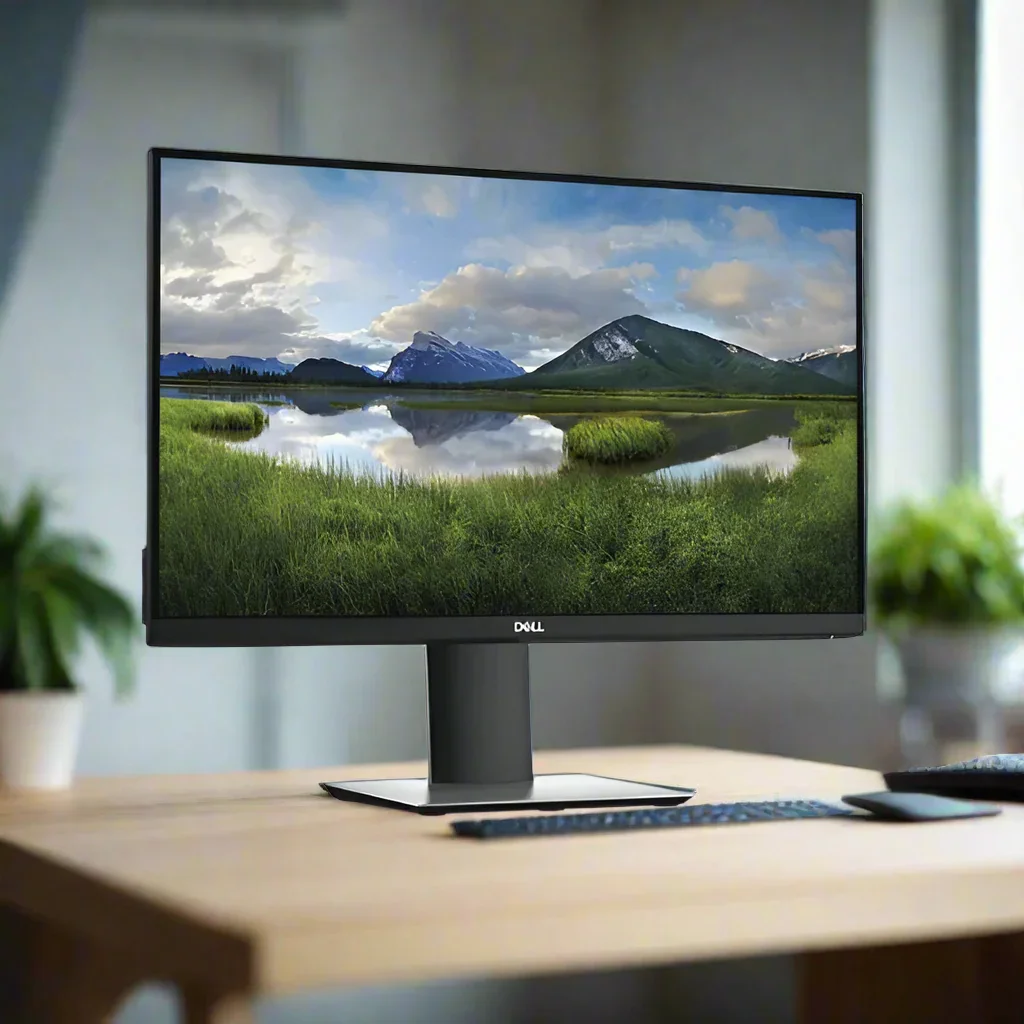
Dell P2419H 24" FHD IPS Monitor HDMI DisplayPort VGA USB Hub Height Adj Wty
Dell P2419H — 24" Full HD IPS Monitor
The Dell P2419H delivers crisp 1920×1080 Full HD on a 24" IPS panel with flicker-free W-LED backlighting, a comfort-view blue light filter and a fully ergonomic stand — backed by a 12-month Reboot IT warranty. HDMI, DisplayPort and VGA inputs plus a built-in USB 3.0 hub cover modern and legacy devices without adapters.
Key Benefits
- 24" IPS display: Wide 178°/178° viewing angles with consistent colour and brightness — no shift when colleagues view your screen from the side.
- Flicker-free + blue light filter: Reduces eye fatigue during long sessions — ideal for staff who spend full days at a desk.
- 99% sRGB colour coverage: Accurate colour for design proofing, photo review and any colour-sensitive work.
- HDMI + DisplayPort + VGA: Three video inputs connect modern and older machines alike, with no dongles required.
- Built-in USB 3.0 hub: Downstream USB 3.0 ports keep keyboard, mouse and storage tidy without cabling back to the PC.
- Full ergonomic stand: Height, tilt, swivel and portrait pivot adapt to sit-stand desks and shared workstations. VESA 100×100mm for arms and wall mounts.
Performance In Use
The P2419H's 24" IPS panel with 99% sRGB coverage punches above its price point. Where a cheaper TN panel at the same size would show colour shift and limited viewing angles, IPS keeps colour consistent from any seat at the desk — a practical benefit in team environments where screens are viewed from different angles during reviews and presentations.
The flicker-free backlighting and integrated blue light filter make a real difference for users who sit at a monitor for six to eight hours a day. Lower-cost displays flicker at low brightness, which contributes to eye fatigue over time. The P2419H eliminates this, and the adjustable blue light filter lets users dial in comfort without losing too much colour accuracy.
Connectivity is well matched to current and legacy office hardware. DisplayPort 1.2 and HDMI 1.4 both deliver full 1920×1080 at 60Hz from any modern laptop or desktop, while the VGA input keeps older machines and KVMs in play. The integrated USB 3.0 hub adds downstream ports for peripherals, and the full ergonomic stand handles the rest — height, tilt, swivel and portrait pivot cover virtually any desk setup or user preference.
Technical Specifications
| Screen Size | 24" (diagonal viewable) |
| Panel Type | IPS (In-Plane Switching) |
| Resolution | 1920 × 1080 (Full HD) at 60Hz |
| Response Time | 5ms gray-to-gray |
| Brightness | 250 cd/m² (typical) |
| Contrast Ratio | 1000:1 (static) |
| Colour Gamut | 99% sRGB |
| Viewing Angles | 178° horizontal / 178° vertical |
| Aspect Ratio | 16:9 |
| Video Inputs | 1× HDMI 1.4, 1× DisplayPort 1.2, 1× VGA |
| USB | USB 3.0 hub (1× upstream, downstream USB 3.0 ports) |
| Audio | 3.5mm audio line-out (no built-in speakers) |
| Stand Adjustments | Height, tilt, swivel, pivot (portrait) |
| VESA Mount | 100 × 100mm |
| Colour | Black |
| Warranty | 12 months (Reboot IT) |
Is It Right For You?
| Best For ✓ | Not For ✗ |
|---|---|
| Office users needing eye-care features for long daily sessions | Competitive gamers needing 144Hz+ |
| Mixed fleets with HDMI, DisplayPort and VGA devices | Users needing USB-C video / single-cable docking |
| Sit-stand desks and shared workstations needing ergonomic flexibility | Users needing 1440p or 4K resolution |
| Colour-sensitive tasks benefiting from 99% sRGB accuracy | Users needing built-in speakers |
Condition Grades
| Grade | Description |
|---|---|
| A — Excellent | Minimal to no cosmetic marks. No dead pixels or screen blemishes. Fully functional, cleaned and tested. |
| B — Good | Light cosmetic wear on housing or stand. Screen fully clear and functional. All ports and features tested. |
Frequently Asked Questions
What video inputs does it have?
The P2419H includes HDMI 1.4, DisplayPort 1.2 and VGA — so you can connect modern and older machines and switch between sources from the on-screen menu.
Does it have a USB hub?
Yes — a built-in USB 3.0 hub provides downstream ports for peripherals. Connect the upstream cable to your PC to enable the hub. Note these are USB-A ports, not USB-C.
Does it work with a Mac?
Yes — connect via HDMI or DisplayPort. Most modern MacBooks with USB-C will need a USB-C to DisplayPort or HDMI adapter to output video.
What's the difference between Excellent and Good grade?
Excellent (Grade A) units present near-new with minimal cosmetic marks. Good (Grade B) show light wear from use but are fully functional. Both carry the same 12-month warranty.
What are the shipping costs?
Shipping costs apply based on size and destination — rates are calculated at checkout.
Does it have built-in speakers?
No — the Dell P2419H does not include built-in speakers. Audio plays through a connected device or external speakers via the 3.5mm line-out.
12-Month Warranty — Reboot IT
Every Dell P2419H sold by Reboot IT is covered by a 12-month warranty. Based in Melbourne and operating since 2001, Reboot IT professionally tests, cleans and grades every unit before it ships. If something goes wrong within the warranty period, we'll repair or replace it. Shop with confidence at reboot-it.com.au.
Original: $69.28
-65%$69.28
$24.25More Images
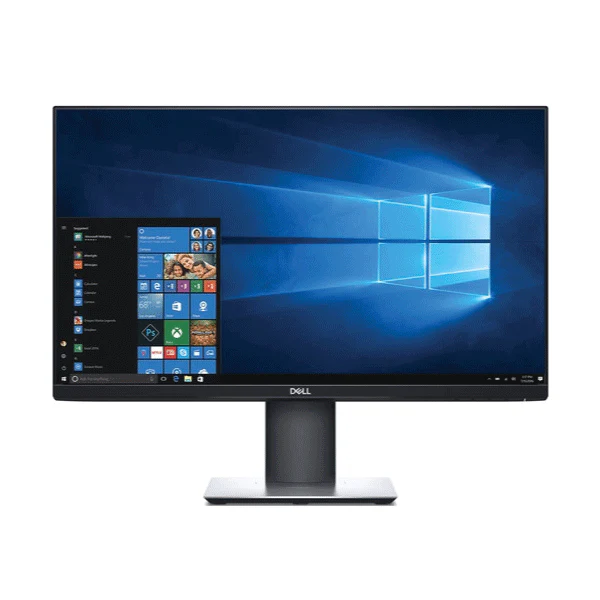
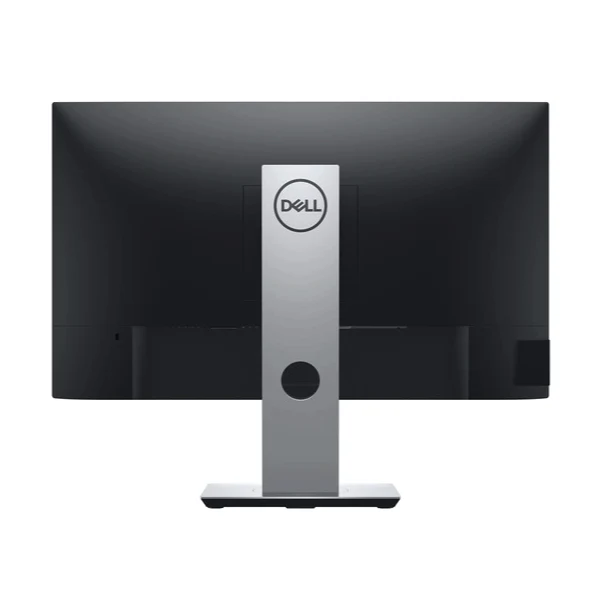
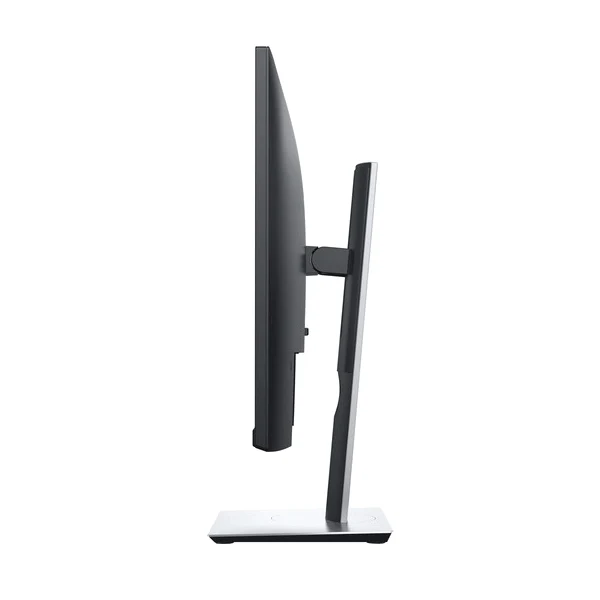
Dell P2419H 24" FHD IPS Monitor HDMI DisplayPort VGA USB Hub Height Adj Wty
Dell P2419H — 24" Full HD IPS Monitor
The Dell P2419H delivers crisp 1920×1080 Full HD on a 24" IPS panel with flicker-free W-LED backlighting, a comfort-view blue light filter and a fully ergonomic stand — backed by a 12-month Reboot IT warranty. HDMI, DisplayPort and VGA inputs plus a built-in USB 3.0 hub cover modern and legacy devices without adapters.
Key Benefits
- 24" IPS display: Wide 178°/178° viewing angles with consistent colour and brightness — no shift when colleagues view your screen from the side.
- Flicker-free + blue light filter: Reduces eye fatigue during long sessions — ideal for staff who spend full days at a desk.
- 99% sRGB colour coverage: Accurate colour for design proofing, photo review and any colour-sensitive work.
- HDMI + DisplayPort + VGA: Three video inputs connect modern and older machines alike, with no dongles required.
- Built-in USB 3.0 hub: Downstream USB 3.0 ports keep keyboard, mouse and storage tidy without cabling back to the PC.
- Full ergonomic stand: Height, tilt, swivel and portrait pivot adapt to sit-stand desks and shared workstations. VESA 100×100mm for arms and wall mounts.
Performance In Use
The P2419H's 24" IPS panel with 99% sRGB coverage punches above its price point. Where a cheaper TN panel at the same size would show colour shift and limited viewing angles, IPS keeps colour consistent from any seat at the desk — a practical benefit in team environments where screens are viewed from different angles during reviews and presentations.
The flicker-free backlighting and integrated blue light filter make a real difference for users who sit at a monitor for six to eight hours a day. Lower-cost displays flicker at low brightness, which contributes to eye fatigue over time. The P2419H eliminates this, and the adjustable blue light filter lets users dial in comfort without losing too much colour accuracy.
Connectivity is well matched to current and legacy office hardware. DisplayPort 1.2 and HDMI 1.4 both deliver full 1920×1080 at 60Hz from any modern laptop or desktop, while the VGA input keeps older machines and KVMs in play. The integrated USB 3.0 hub adds downstream ports for peripherals, and the full ergonomic stand handles the rest — height, tilt, swivel and portrait pivot cover virtually any desk setup or user preference.
Technical Specifications
| Screen Size | 24" (diagonal viewable) |
| Panel Type | IPS (In-Plane Switching) |
| Resolution | 1920 × 1080 (Full HD) at 60Hz |
| Response Time | 5ms gray-to-gray |
| Brightness | 250 cd/m² (typical) |
| Contrast Ratio | 1000:1 (static) |
| Colour Gamut | 99% sRGB |
| Viewing Angles | 178° horizontal / 178° vertical |
| Aspect Ratio | 16:9 |
| Video Inputs | 1× HDMI 1.4, 1× DisplayPort 1.2, 1× VGA |
| USB | USB 3.0 hub (1× upstream, downstream USB 3.0 ports) |
| Audio | 3.5mm audio line-out (no built-in speakers) |
| Stand Adjustments | Height, tilt, swivel, pivot (portrait) |
| VESA Mount | 100 × 100mm |
| Colour | Black |
| Warranty | 12 months (Reboot IT) |
Is It Right For You?
| Best For ✓ | Not For ✗ |
|---|---|
| Office users needing eye-care features for long daily sessions | Competitive gamers needing 144Hz+ |
| Mixed fleets with HDMI, DisplayPort and VGA devices | Users needing USB-C video / single-cable docking |
| Sit-stand desks and shared workstations needing ergonomic flexibility | Users needing 1440p or 4K resolution |
| Colour-sensitive tasks benefiting from 99% sRGB accuracy | Users needing built-in speakers |
Condition Grades
| Grade | Description |
|---|---|
| A — Excellent | Minimal to no cosmetic marks. No dead pixels or screen blemishes. Fully functional, cleaned and tested. |
| B — Good | Light cosmetic wear on housing or stand. Screen fully clear and functional. All ports and features tested. |
Frequently Asked Questions
What video inputs does it have?
The P2419H includes HDMI 1.4, DisplayPort 1.2 and VGA — so you can connect modern and older machines and switch between sources from the on-screen menu.
Does it have a USB hub?
Yes — a built-in USB 3.0 hub provides downstream ports for peripherals. Connect the upstream cable to your PC to enable the hub. Note these are USB-A ports, not USB-C.
Does it work with a Mac?
Yes — connect via HDMI or DisplayPort. Most modern MacBooks with USB-C will need a USB-C to DisplayPort or HDMI adapter to output video.
What's the difference between Excellent and Good grade?
Excellent (Grade A) units present near-new with minimal cosmetic marks. Good (Grade B) show light wear from use but are fully functional. Both carry the same 12-month warranty.
What are the shipping costs?
Shipping costs apply based on size and destination — rates are calculated at checkout.
Does it have built-in speakers?
No — the Dell P2419H does not include built-in speakers. Audio plays through a connected device or external speakers via the 3.5mm line-out.
12-Month Warranty — Reboot IT
Every Dell P2419H sold by Reboot IT is covered by a 12-month warranty. Based in Melbourne and operating since 2001, Reboot IT professionally tests, cleans and grades every unit before it ships. If something goes wrong within the warranty period, we'll repair or replace it. Shop with confidence at reboot-it.com.au.
Product Information
Product Information
Shipping & Returns
Shipping & Returns
Description
Dell P2419H — 24" Full HD IPS Monitor
The Dell P2419H delivers crisp 1920×1080 Full HD on a 24" IPS panel with flicker-free W-LED backlighting, a comfort-view blue light filter and a fully ergonomic stand — backed by a 12-month Reboot IT warranty. HDMI, DisplayPort and VGA inputs plus a built-in USB 3.0 hub cover modern and legacy devices without adapters.
Key Benefits
- 24" IPS display: Wide 178°/178° viewing angles with consistent colour and brightness — no shift when colleagues view your screen from the side.
- Flicker-free + blue light filter: Reduces eye fatigue during long sessions — ideal for staff who spend full days at a desk.
- 99% sRGB colour coverage: Accurate colour for design proofing, photo review and any colour-sensitive work.
- HDMI + DisplayPort + VGA: Three video inputs connect modern and older machines alike, with no dongles required.
- Built-in USB 3.0 hub: Downstream USB 3.0 ports keep keyboard, mouse and storage tidy without cabling back to the PC.
- Full ergonomic stand: Height, tilt, swivel and portrait pivot adapt to sit-stand desks and shared workstations. VESA 100×100mm for arms and wall mounts.
Performance In Use
The P2419H's 24" IPS panel with 99% sRGB coverage punches above its price point. Where a cheaper TN panel at the same size would show colour shift and limited viewing angles, IPS keeps colour consistent from any seat at the desk — a practical benefit in team environments where screens are viewed from different angles during reviews and presentations.
The flicker-free backlighting and integrated blue light filter make a real difference for users who sit at a monitor for six to eight hours a day. Lower-cost displays flicker at low brightness, which contributes to eye fatigue over time. The P2419H eliminates this, and the adjustable blue light filter lets users dial in comfort without losing too much colour accuracy.
Connectivity is well matched to current and legacy office hardware. DisplayPort 1.2 and HDMI 1.4 both deliver full 1920×1080 at 60Hz from any modern laptop or desktop, while the VGA input keeps older machines and KVMs in play. The integrated USB 3.0 hub adds downstream ports for peripherals, and the full ergonomic stand handles the rest — height, tilt, swivel and portrait pivot cover virtually any desk setup or user preference.
Technical Specifications
| Screen Size | 24" (diagonal viewable) |
| Panel Type | IPS (In-Plane Switching) |
| Resolution | 1920 × 1080 (Full HD) at 60Hz |
| Response Time | 5ms gray-to-gray |
| Brightness | 250 cd/m² (typical) |
| Contrast Ratio | 1000:1 (static) |
| Colour Gamut | 99% sRGB |
| Viewing Angles | 178° horizontal / 178° vertical |
| Aspect Ratio | 16:9 |
| Video Inputs | 1× HDMI 1.4, 1× DisplayPort 1.2, 1× VGA |
| USB | USB 3.0 hub (1× upstream, downstream USB 3.0 ports) |
| Audio | 3.5mm audio line-out (no built-in speakers) |
| Stand Adjustments | Height, tilt, swivel, pivot (portrait) |
| VESA Mount | 100 × 100mm |
| Colour | Black |
| Warranty | 12 months (Reboot IT) |
Is It Right For You?
| Best For ✓ | Not For ✗ |
|---|---|
| Office users needing eye-care features for long daily sessions | Competitive gamers needing 144Hz+ |
| Mixed fleets with HDMI, DisplayPort and VGA devices | Users needing USB-C video / single-cable docking |
| Sit-stand desks and shared workstations needing ergonomic flexibility | Users needing 1440p or 4K resolution |
| Colour-sensitive tasks benefiting from 99% sRGB accuracy | Users needing built-in speakers |
Condition Grades
| Grade | Description |
|---|---|
| A — Excellent | Minimal to no cosmetic marks. No dead pixels or screen blemishes. Fully functional, cleaned and tested. |
| B — Good | Light cosmetic wear on housing or stand. Screen fully clear and functional. All ports and features tested. |
Frequently Asked Questions
What video inputs does it have?
The P2419H includes HDMI 1.4, DisplayPort 1.2 and VGA — so you can connect modern and older machines and switch between sources from the on-screen menu.
Does it have a USB hub?
Yes — a built-in USB 3.0 hub provides downstream ports for peripherals. Connect the upstream cable to your PC to enable the hub. Note these are USB-A ports, not USB-C.
Does it work with a Mac?
Yes — connect via HDMI or DisplayPort. Most modern MacBooks with USB-C will need a USB-C to DisplayPort or HDMI adapter to output video.
What's the difference between Excellent and Good grade?
Excellent (Grade A) units present near-new with minimal cosmetic marks. Good (Grade B) show light wear from use but are fully functional. Both carry the same 12-month warranty.
What are the shipping costs?
Shipping costs apply based on size and destination — rates are calculated at checkout.
Does it have built-in speakers?
No — the Dell P2419H does not include built-in speakers. Audio plays through a connected device or external speakers via the 3.5mm line-out.
12-Month Warranty — Reboot IT
Every Dell P2419H sold by Reboot IT is covered by a 12-month warranty. Based in Melbourne and operating since 2001, Reboot IT professionally tests, cleans and grades every unit before it ships. If something goes wrong within the warranty period, we'll repair or replace it. Shop with confidence at reboot-it.com.au.