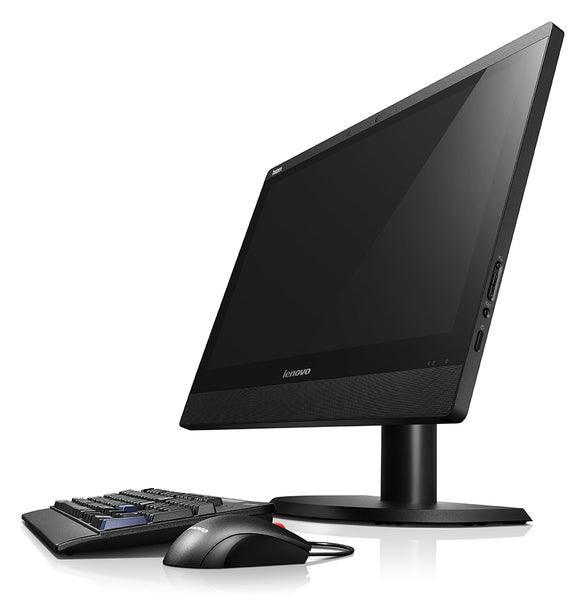
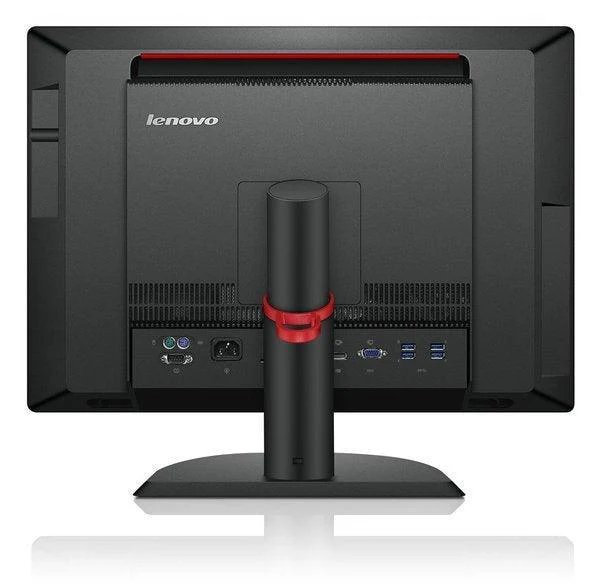
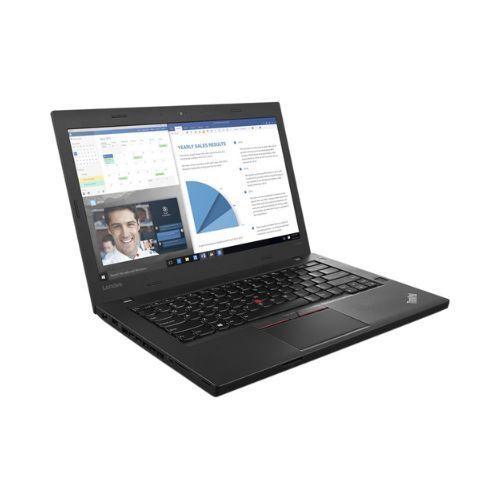
Dell OptiPlex 7440 AIO 23.8" Touch WiFi i5-6500 8GB 240GB SSD Win 10 Pro | Wty
Dell OptiPlex 7440 AIO — 23.8″ Touchscreen All-in-One
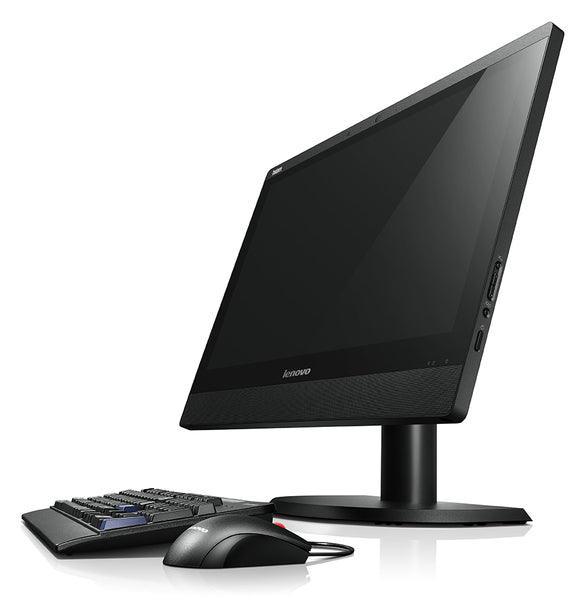
The Dell OptiPlex 7440 All-in-One combines a quad-core Intel Core i5-6500 (up to 3.60 GHz), 8 GB DDR4, a 240 GB SSD, and a 23.8″ Full HD touchscreen in a single space-saving unit. With built-in 802.11ac WiFi, a height-adjustable stand, and an integrated webcam, this certified refurbished all-in-one is ready for business productivity from day one. Backed by a full 12-month Reboot IT warranty.
Key Benefits
- All-in-one convenience: Monitor, PC, webcam, and speakers in one unit — eliminates desktop clutter and simplifies cable management
- 23.8″ FHD touchscreen: 1920 × 1080 touch display with integrated 2 MP webcam suits presentations, data entry, and video conferencing
- Quad-core 6th Gen performance: i5-6500 at up to 3.60 GHz handles Office 365, accounting software, web conferencing, and multi-tab browsing
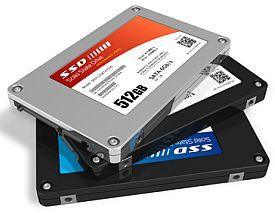
- Fast SSD storage: 240 GB SSD delivers sub-20-second boot times and instant application launches
- Built-in WiFi and Bluetooth: 802.11ac wireless and Bluetooth 4.1 offer flexible desk placement without running network cables
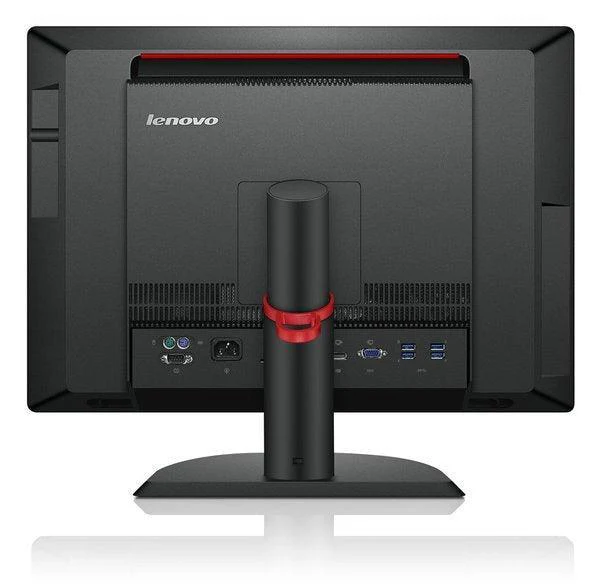
- Comprehensive ports: 6 × USB 3.0, HDMI In/Out, DisplayPort, Ethernet, and headset jack for full peripheral connectivity
Performance in Use
In a typical office environment the OptiPlex 7440 AIO handles Microsoft 365 (Word, Excel, PowerPoint, Teams), MYOB, Sage, and browser-based business applications comfortably. The touchscreen interface speeds up data entry, presentation navigation, and interactive applications — particularly useful at reception desks, retail counters, and collaborative workspaces.
The integrated 2 MP webcam and built-in microphone support seamless Zoom, Teams, or Google Meet video calls without external peripherals. The height-adjustable stand allows ergonomic positioning for standing-desk setups or shared workstations used by staff of different heights.
The HDMI input port is a noteworthy feature — it allows the OptiPlex 7440’s display to be used as an external monitor for a laptop or second device, adding versatility beyond a standard all-in-one.
Technical Specifications
| Processor | Intel Core i5-6500, quad-core, 3.20 GHz base / 3.60 GHz turbo, 6 MB cache, 65 W TDP |
| Memory | 8 GB DDR4 SDRAM (2133 MHz) |
| Storage | 240 GB SSD |
| Display | 23.8″ Full HD (1920 × 1080) IPS touchscreen, integrated 2 MP webcam |
| Graphics | Intel HD Graphics 530 (integrated) |
| Wireless | Intel Dual Band Wireless-AC 8260 (802.11ac), Bluetooth 4.1 |
| Ports | 6 × USB 3.0, 2 × USB 2.0, HDMI 1.4 In/Out, DisplayPort 1.2, RJ-45, headset jack |
| Optical Drive | Slimline 8 × DVD±RW |
| Operating System | Windows 10 Pro (64-bit, pre-installed) |
| Dimensions | 552.9 mm (W) × 417.8 mm (H) × 184.5 mm (D) |
| Weight | Approx. 8.15 kg (with stand) |
| Warranty | 12 months (Reboot IT) |
Is It Right for You?
| Best For ✓ | Not For ✗ |
|---|---|
| Office, reception desk, and retail use | Gaming or dedicated GPU workloads |
| Presenters, receptionists, and shared workstations | Users needing Windows 11 (6th Gen not supported) |
| Spaces where a separate monitor and tower is impractical | Highly portable or travel computing |
| Interactive kiosks and touch-based applications | 4K display or multi-monitor configurations |
Condition Grades
| Grade | Description |
|---|---|
| A — Excellent | Minimal signs of previous use. Light scuffs on housing only. Touchscreen free from scratches, dead pixels, and discolouration. Fully tested. |
| B — Good | Light cosmetic wear on housing. Screen may show subtle blemishes but will not have cracks or dead pixels. Fully functional and tested. |
Frequently Asked Questions
Is a keyboard and mouse included?
No — this listing is for the all-in-one unit only. Keyboards and mice are sold separately.
Can I use this as an external monitor for my laptop?
Yes. The HDMI In port allows you to connect a laptop or other device and use the 23.8″ touchscreen as an external display.
Does the touchscreen work with Windows 10 Pro?
Yes — Windows 10 Pro has full native touch support. The touchscreen is tested and functional on all units.
Does it support Windows 11?
No — 6th Gen Intel processors do not meet Microsoft’s Windows 11 hardware requirements. Windows 10 Pro is pre-installed and remains functional for everyday use.
What warranty is included?
A 12-month Reboot IT warranty covers all hardware components including the screen, motherboard, and SSD.
How does shipping work?
Shipping costs apply based on size and destination — rates are calculated at checkout.
12-Month Warranty — Reboot IT
Every Dell OptiPlex 7440 AIO sold by Reboot IT includes a full 12-month warranty covering all hardware components. Reboot IT has been Melbourne’s trusted refurbished IT specialist since 2001, operating from reboot-it.com.au with a dedicated local support team.
More Images


Dell OptiPlex 7440 AIO 23.8" Touch WiFi i5-6500 8GB 240GB SSD Win 10 Pro | Wty
Dell OptiPlex 7440 AIO — 23.8″ Touchscreen All-in-One
The Dell OptiPlex 7440 All-in-One combines a quad-core Intel Core i5-6500 (up to 3.60 GHz), 8 GB DDR4, a 240 GB SSD, and a 23.8″ Full HD touchscreen in a single space-saving unit. With built-in 802.11ac WiFi, a height-adjustable stand, and an integrated webcam, this certified refurbished all-in-one is ready for business productivity from day one. Backed by a full 12-month Reboot IT warranty.
Key Benefits
- All-in-one convenience: Monitor, PC, webcam, and speakers in one unit — eliminates desktop clutter and simplifies cable management
- 23.8″ FHD touchscreen: 1920 × 1080 touch display with integrated 2 MP webcam suits presentations, data entry, and video conferencing
- Quad-core 6th Gen performance: i5-6500 at up to 3.60 GHz handles Office 365, accounting software, web conferencing, and multi-tab browsing
- Fast SSD storage: 240 GB SSD delivers sub-20-second boot times and instant application launches
- Built-in WiFi and Bluetooth: 802.11ac wireless and Bluetooth 4.1 offer flexible desk placement without running network cables
- Comprehensive ports: 6 × USB 3.0, HDMI In/Out, DisplayPort, Ethernet, and headset jack for full peripheral connectivity
Performance in Use
In a typical office environment the OptiPlex 7440 AIO handles Microsoft 365 (Word, Excel, PowerPoint, Teams), MYOB, Sage, and browser-based business applications comfortably. The touchscreen interface speeds up data entry, presentation navigation, and interactive applications — particularly useful at reception desks, retail counters, and collaborative workspaces.
The integrated 2 MP webcam and built-in microphone support seamless Zoom, Teams, or Google Meet video calls without external peripherals. The height-adjustable stand allows ergonomic positioning for standing-desk setups or shared workstations used by staff of different heights.
The HDMI input port is a noteworthy feature — it allows the OptiPlex 7440’s display to be used as an external monitor for a laptop or second device, adding versatility beyond a standard all-in-one.
Technical Specifications
| Processor | Intel Core i5-6500, quad-core, 3.20 GHz base / 3.60 GHz turbo, 6 MB cache, 65 W TDP |
| Memory | 8 GB DDR4 SDRAM (2133 MHz) |
| Storage | 240 GB SSD |
| Display | 23.8″ Full HD (1920 × 1080) IPS touchscreen, integrated 2 MP webcam |
| Graphics | Intel HD Graphics 530 (integrated) |
| Wireless | Intel Dual Band Wireless-AC 8260 (802.11ac), Bluetooth 4.1 |
| Ports | 6 × USB 3.0, 2 × USB 2.0, HDMI 1.4 In/Out, DisplayPort 1.2, RJ-45, headset jack |
| Optical Drive | Slimline 8 × DVD±RW |
| Operating System | Windows 10 Pro (64-bit, pre-installed) |
| Dimensions | 552.9 mm (W) × 417.8 mm (H) × 184.5 mm (D) |
| Weight | Approx. 8.15 kg (with stand) |
| Warranty | 12 months (Reboot IT) |
Is It Right for You?
| Best For ✓ | Not For ✗ |
|---|---|
| Office, reception desk, and retail use | Gaming or dedicated GPU workloads |
| Presenters, receptionists, and shared workstations | Users needing Windows 11 (6th Gen not supported) |
| Spaces where a separate monitor and tower is impractical | Highly portable or travel computing |
| Interactive kiosks and touch-based applications | 4K display or multi-monitor configurations |
Condition Grades
| Grade | Description |
|---|---|
| A — Excellent | Minimal signs of previous use. Light scuffs on housing only. Touchscreen free from scratches, dead pixels, and discolouration. Fully tested. |
| B — Good | Light cosmetic wear on housing. Screen may show subtle blemishes but will not have cracks or dead pixels. Fully functional and tested. |
Frequently Asked Questions
Is a keyboard and mouse included?
No — this listing is for the all-in-one unit only. Keyboards and mice are sold separately.
Can I use this as an external monitor for my laptop?
Yes. The HDMI In port allows you to connect a laptop or other device and use the 23.8″ touchscreen as an external display.
Does the touchscreen work with Windows 10 Pro?
Yes — Windows 10 Pro has full native touch support. The touchscreen is tested and functional on all units.
Does it support Windows 11?
No — 6th Gen Intel processors do not meet Microsoft’s Windows 11 hardware requirements. Windows 10 Pro is pre-installed and remains functional for everyday use.
What warranty is included?
A 12-month Reboot IT warranty covers all hardware components including the screen, motherboard, and SSD.
How does shipping work?
Shipping costs apply based on size and destination — rates are calculated at checkout.
12-Month Warranty — Reboot IT
Every Dell OptiPlex 7440 AIO sold by Reboot IT includes a full 12-month warranty covering all hardware components. Reboot IT has been Melbourne’s trusted refurbished IT specialist since 2001, operating from reboot-it.com.au with a dedicated local support team.
Product Information
Product Information
Shipping & Returns
Shipping & Returns
Description
Dell OptiPlex 7440 AIO — 23.8″ Touchscreen All-in-One
The Dell OptiPlex 7440 All-in-One combines a quad-core Intel Core i5-6500 (up to 3.60 GHz), 8 GB DDR4, a 240 GB SSD, and a 23.8″ Full HD touchscreen in a single space-saving unit. With built-in 802.11ac WiFi, a height-adjustable stand, and an integrated webcam, this certified refurbished all-in-one is ready for business productivity from day one. Backed by a full 12-month Reboot IT warranty.
Key Benefits
- All-in-one convenience: Monitor, PC, webcam, and speakers in one unit — eliminates desktop clutter and simplifies cable management
- 23.8″ FHD touchscreen: 1920 × 1080 touch display with integrated 2 MP webcam suits presentations, data entry, and video conferencing
- Quad-core 6th Gen performance: i5-6500 at up to 3.60 GHz handles Office 365, accounting software, web conferencing, and multi-tab browsing
- Fast SSD storage: 240 GB SSD delivers sub-20-second boot times and instant application launches
- Built-in WiFi and Bluetooth: 802.11ac wireless and Bluetooth 4.1 offer flexible desk placement without running network cables
- Comprehensive ports: 6 × USB 3.0, HDMI In/Out, DisplayPort, Ethernet, and headset jack for full peripheral connectivity
Performance in Use
In a typical office environment the OptiPlex 7440 AIO handles Microsoft 365 (Word, Excel, PowerPoint, Teams), MYOB, Sage, and browser-based business applications comfortably. The touchscreen interface speeds up data entry, presentation navigation, and interactive applications — particularly useful at reception desks, retail counters, and collaborative workspaces.
The integrated 2 MP webcam and built-in microphone support seamless Zoom, Teams, or Google Meet video calls without external peripherals. The height-adjustable stand allows ergonomic positioning for standing-desk setups or shared workstations used by staff of different heights.
The HDMI input port is a noteworthy feature — it allows the OptiPlex 7440’s display to be used as an external monitor for a laptop or second device, adding versatility beyond a standard all-in-one.
Technical Specifications
| Processor | Intel Core i5-6500, quad-core, 3.20 GHz base / 3.60 GHz turbo, 6 MB cache, 65 W TDP |
| Memory | 8 GB DDR4 SDRAM (2133 MHz) |
| Storage | 240 GB SSD |
| Display | 23.8″ Full HD (1920 × 1080) IPS touchscreen, integrated 2 MP webcam |
| Graphics | Intel HD Graphics 530 (integrated) |
| Wireless | Intel Dual Band Wireless-AC 8260 (802.11ac), Bluetooth 4.1 |
| Ports | 6 × USB 3.0, 2 × USB 2.0, HDMI 1.4 In/Out, DisplayPort 1.2, RJ-45, headset jack |
| Optical Drive | Slimline 8 × DVD±RW |
| Operating System | Windows 10 Pro (64-bit, pre-installed) |
| Dimensions | 552.9 mm (W) × 417.8 mm (H) × 184.5 mm (D) |
| Weight | Approx. 8.15 kg (with stand) |
| Warranty | 12 months (Reboot IT) |
Is It Right for You?
| Best For ✓ | Not For ✗ |
|---|---|
| Office, reception desk, and retail use | Gaming or dedicated GPU workloads |
| Presenters, receptionists, and shared workstations | Users needing Windows 11 (6th Gen not supported) |
| Spaces where a separate monitor and tower is impractical | Highly portable or travel computing |
| Interactive kiosks and touch-based applications | 4K display or multi-monitor configurations |
Condition Grades
| Grade | Description |
|---|---|
| A — Excellent | Minimal signs of previous use. Light scuffs on housing only. Touchscreen free from scratches, dead pixels, and discolouration. Fully tested. |
| B — Good | Light cosmetic wear on housing. Screen may show subtle blemishes but will not have cracks or dead pixels. Fully functional and tested. |
Frequently Asked Questions
Is a keyboard and mouse included?
No — this listing is for the all-in-one unit only. Keyboards and mice are sold separately.
Can I use this as an external monitor for my laptop?
Yes. The HDMI In port allows you to connect a laptop or other device and use the 23.8″ touchscreen as an external display.
Does the touchscreen work with Windows 10 Pro?
Yes — Windows 10 Pro has full native touch support. The touchscreen is tested and functional on all units.
Does it support Windows 11?
No — 6th Gen Intel processors do not meet Microsoft’s Windows 11 hardware requirements. Windows 10 Pro is pre-installed and remains functional for everyday use.
What warranty is included?
A 12-month Reboot IT warranty covers all hardware components including the screen, motherboard, and SSD.
How does shipping work?
Shipping costs apply based on size and destination — rates are calculated at checkout.
12-Month Warranty — Reboot IT
Every Dell OptiPlex 7440 AIO sold by Reboot IT includes a full 12-month warranty covering all hardware components. Reboot IT has been Melbourne’s trusted refurbished IT specialist since 2001, operating from reboot-it.com.au with a dedicated local support team.