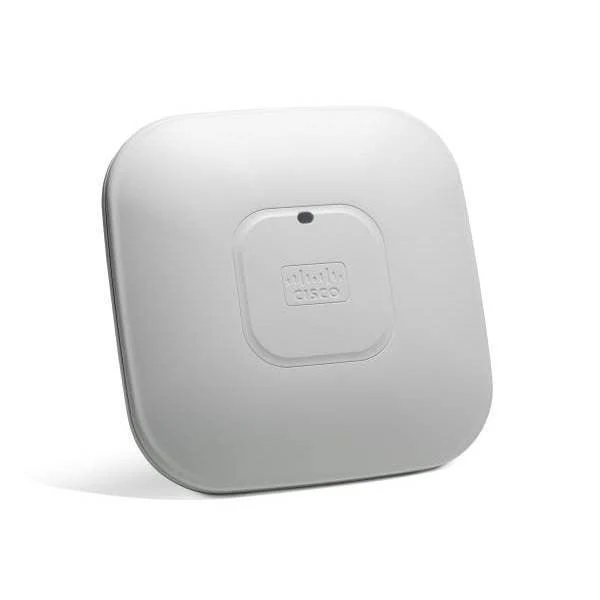
Cisco 1712 Router VPN Firewall 1x WAN 2x LAN IOS Enterprise Business Wty
Cisco 1712 — VPN Router & Firewall, 1x WAN 2x LAN, IOS Enterprise
The Cisco 1712 is a compact VPN router and stateful firewall running Cisco IOS Enterprise, designed for small branch office and SOHO deployments requiring genuine enterprise-grade security. With one WAN port and two LAN ports, it delivers site-to-site IPsec VPN, stateful packet inspection, and NAT for organisations that need Cisco IOS reliability without the cost of larger platform devices. Backed by a 12-month Reboot IT warranty.
Key Benefits
- Cisco IOS Enterprise: The same operating system used across Cisco's enterprise router portfolio — familiar CLI, consistent behaviour, and trusted security track record.
- IPsec VPN: Site-to-site VPN tunnelling connects branch offices to headquarters securely over the internet without dedicated MPLS circuits.
- Stateful packet inspection: Layer 4 firewall inspects connection state rather than individual packets — more effective than simple ACL-based filtering.
- Compact form factor: Small desktop form factor suits branch office environments where rack space is unavailable.
- Cisco IOS feature richness: ACLs, NAT, QoS, routing protocols (RIP, OSPF, BGP capable), and SNMP management in a single device.
- Proven reliability: Cisco 1700 series routers have a long track record in branch office deployments globally.
Performance in Use
In a small branch office role, the Cisco 1712 sits at the WAN edge — connecting an ADSL or Ethernet WAN handoff to the branch LAN while applying stateful firewall policy to inbound and outbound traffic. IPsec site-to-site VPN tunnels to headquarters allow staff to access internal file servers, ERP systems, and printers as if they were on the same network. Cisco IOS's QoS capabilities can prioritise VoIP traffic over WAN bandwidth to ensure call quality during peak usage.
For Cisco-experienced network engineers, the IOS CLI provides a familiar environment for ACL configuration, NAT rules, and routing protocol setup without a GUI dependency. The 1712's modest hardware is well-matched to branch offices with 5–20 users where the WAN link is the bottleneck rather than the router. For environments requiring network monitoring integration, the built-in SNMP agent reports to Cisco Prime, SolarWinds, and other NMS platforms.
Technical Specifications
| Specification | Detail |
|---|---|
| Brand | Cisco |
| Model | 1712 |
| WAN Ports | 1x Ethernet WAN |
| LAN Ports | 2x Ethernet LAN |
| Software | Cisco IOS Enterprise |
| Firewall | Stateful packet inspection (CBAC) |
| VPN | IPsec site-to-site and remote access VPN |
| Management | Cisco IOS CLI, SNMP |
| Form Factor | Desktop |
| Warranty | 12 months (Reboot IT) |
Is It Right for You?
| Best For | Not Ideal For |
|---|---|
| ✓ Small branch offices needing Cisco IOS reliability and VPN capability | ✗ Environments needing more than 2 LAN ports (add a switch downstream) |
| ✓ Network engineers familiar with Cisco IOS CLI | ✗ High-throughput WAN connections (>100Mbps) — consider a higher-capacity Cisco ISR |
| ✓ Organisations connecting branch sites to headquarters via IPsec VPN | ✗ Network teams unfamiliar with Cisco IOS CLI who need a GUI-managed device |
| ✓ Budget-conscious deployments requiring enterprise routing features |
Condition Grades
| Grade | Condition |
|---|---|
| A – Excellent | Minimal cosmetic marks. Fully tested and functional. All functions verified by Reboot IT technicians. |
| B – Good | Light cosmetic wear — minor scratches or scuffs. Fully tested and functional. |
Frequently Asked Questions
What WAN connection types does it support?
The Cisco 1712 WAN port accepts an Ethernet handoff from ADSL modems (in bridge mode), dedicated fibre, or Ethernet from an upstream provider.
Does it include a Cisco IOS license?
The device ships with the existing IOS Enterprise image installed. Cisco IOS software licenses and SmartNet support contracts are not included.
Can it connect multiple branch offices via VPN?
Yes — the Cisco 1712 supports multiple simultaneous IPsec VPN tunnels for connecting several branch locations to headquarters or to each other.
What power supply does it use?
The Cisco 1712 uses a standard external AC power adapter. Power adapter inclusion is noted in the listing.
What is the shipping cost?
Shipping costs apply based on size and destination — rates are calculated at checkout.
What warranty is included?
All Reboot IT products include a 12-month warranty. If the unit develops a fault, we will repair or replace it at no cost.
Reboot IT Warranty & Trust
Every item sold by Reboot IT (reboot-it.com.au) includes a 12-month warranty. Our Melbourne-based technicians professionally test and grade each unit before dispatch. Reboot IT has been refurbishing and reselling business technology since 2001, trusted by thousands of Australian businesses and individuals. Shipping costs apply based on size and destination — rates are calculated at checkout.
Original: $104.28
-65%$104.28
$36.50More Images

Cisco 1712 Router VPN Firewall 1x WAN 2x LAN IOS Enterprise Business Wty
Cisco 1712 — VPN Router & Firewall, 1x WAN 2x LAN, IOS Enterprise
The Cisco 1712 is a compact VPN router and stateful firewall running Cisco IOS Enterprise, designed for small branch office and SOHO deployments requiring genuine enterprise-grade security. With one WAN port and two LAN ports, it delivers site-to-site IPsec VPN, stateful packet inspection, and NAT for organisations that need Cisco IOS reliability without the cost of larger platform devices. Backed by a 12-month Reboot IT warranty.
Key Benefits
- Cisco IOS Enterprise: The same operating system used across Cisco's enterprise router portfolio — familiar CLI, consistent behaviour, and trusted security track record.
- IPsec VPN: Site-to-site VPN tunnelling connects branch offices to headquarters securely over the internet without dedicated MPLS circuits.
- Stateful packet inspection: Layer 4 firewall inspects connection state rather than individual packets — more effective than simple ACL-based filtering.
- Compact form factor: Small desktop form factor suits branch office environments where rack space is unavailable.
- Cisco IOS feature richness: ACLs, NAT, QoS, routing protocols (RIP, OSPF, BGP capable), and SNMP management in a single device.
- Proven reliability: Cisco 1700 series routers have a long track record in branch office deployments globally.
Performance in Use
In a small branch office role, the Cisco 1712 sits at the WAN edge — connecting an ADSL or Ethernet WAN handoff to the branch LAN while applying stateful firewall policy to inbound and outbound traffic. IPsec site-to-site VPN tunnels to headquarters allow staff to access internal file servers, ERP systems, and printers as if they were on the same network. Cisco IOS's QoS capabilities can prioritise VoIP traffic over WAN bandwidth to ensure call quality during peak usage.
For Cisco-experienced network engineers, the IOS CLI provides a familiar environment for ACL configuration, NAT rules, and routing protocol setup without a GUI dependency. The 1712's modest hardware is well-matched to branch offices with 5–20 users where the WAN link is the bottleneck rather than the router. For environments requiring network monitoring integration, the built-in SNMP agent reports to Cisco Prime, SolarWinds, and other NMS platforms.
Technical Specifications
| Specification | Detail |
|---|---|
| Brand | Cisco |
| Model | 1712 |
| WAN Ports | 1x Ethernet WAN |
| LAN Ports | 2x Ethernet LAN |
| Software | Cisco IOS Enterprise |
| Firewall | Stateful packet inspection (CBAC) |
| VPN | IPsec site-to-site and remote access VPN |
| Management | Cisco IOS CLI, SNMP |
| Form Factor | Desktop |
| Warranty | 12 months (Reboot IT) |
Is It Right for You?
| Best For | Not Ideal For |
|---|---|
| ✓ Small branch offices needing Cisco IOS reliability and VPN capability | ✗ Environments needing more than 2 LAN ports (add a switch downstream) |
| ✓ Network engineers familiar with Cisco IOS CLI | ✗ High-throughput WAN connections (>100Mbps) — consider a higher-capacity Cisco ISR |
| ✓ Organisations connecting branch sites to headquarters via IPsec VPN | ✗ Network teams unfamiliar with Cisco IOS CLI who need a GUI-managed device |
| ✓ Budget-conscious deployments requiring enterprise routing features |
Condition Grades
| Grade | Condition |
|---|---|
| A – Excellent | Minimal cosmetic marks. Fully tested and functional. All functions verified by Reboot IT technicians. |
| B – Good | Light cosmetic wear — minor scratches or scuffs. Fully tested and functional. |
Frequently Asked Questions
What WAN connection types does it support?
The Cisco 1712 WAN port accepts an Ethernet handoff from ADSL modems (in bridge mode), dedicated fibre, or Ethernet from an upstream provider.
Does it include a Cisco IOS license?
The device ships with the existing IOS Enterprise image installed. Cisco IOS software licenses and SmartNet support contracts are not included.
Can it connect multiple branch offices via VPN?
Yes — the Cisco 1712 supports multiple simultaneous IPsec VPN tunnels for connecting several branch locations to headquarters or to each other.
What power supply does it use?
The Cisco 1712 uses a standard external AC power adapter. Power adapter inclusion is noted in the listing.
What is the shipping cost?
Shipping costs apply based on size and destination — rates are calculated at checkout.
What warranty is included?
All Reboot IT products include a 12-month warranty. If the unit develops a fault, we will repair or replace it at no cost.
Reboot IT Warranty & Trust
Every item sold by Reboot IT (reboot-it.com.au) includes a 12-month warranty. Our Melbourne-based technicians professionally test and grade each unit before dispatch. Reboot IT has been refurbishing and reselling business technology since 2001, trusted by thousands of Australian businesses and individuals. Shipping costs apply based on size and destination — rates are calculated at checkout.
Product Information
Product Information
Shipping & Returns
Shipping & Returns
Description
Cisco 1712 — VPN Router & Firewall, 1x WAN 2x LAN, IOS Enterprise
The Cisco 1712 is a compact VPN router and stateful firewall running Cisco IOS Enterprise, designed for small branch office and SOHO deployments requiring genuine enterprise-grade security. With one WAN port and two LAN ports, it delivers site-to-site IPsec VPN, stateful packet inspection, and NAT for organisations that need Cisco IOS reliability without the cost of larger platform devices. Backed by a 12-month Reboot IT warranty.
Key Benefits
- Cisco IOS Enterprise: The same operating system used across Cisco's enterprise router portfolio — familiar CLI, consistent behaviour, and trusted security track record.
- IPsec VPN: Site-to-site VPN tunnelling connects branch offices to headquarters securely over the internet without dedicated MPLS circuits.
- Stateful packet inspection: Layer 4 firewall inspects connection state rather than individual packets — more effective than simple ACL-based filtering.
- Compact form factor: Small desktop form factor suits branch office environments where rack space is unavailable.
- Cisco IOS feature richness: ACLs, NAT, QoS, routing protocols (RIP, OSPF, BGP capable), and SNMP management in a single device.
- Proven reliability: Cisco 1700 series routers have a long track record in branch office deployments globally.
Performance in Use
In a small branch office role, the Cisco 1712 sits at the WAN edge — connecting an ADSL or Ethernet WAN handoff to the branch LAN while applying stateful firewall policy to inbound and outbound traffic. IPsec site-to-site VPN tunnels to headquarters allow staff to access internal file servers, ERP systems, and printers as if they were on the same network. Cisco IOS's QoS capabilities can prioritise VoIP traffic over WAN bandwidth to ensure call quality during peak usage.
For Cisco-experienced network engineers, the IOS CLI provides a familiar environment for ACL configuration, NAT rules, and routing protocol setup without a GUI dependency. The 1712's modest hardware is well-matched to branch offices with 5–20 users where the WAN link is the bottleneck rather than the router. For environments requiring network monitoring integration, the built-in SNMP agent reports to Cisco Prime, SolarWinds, and other NMS platforms.
Technical Specifications
| Specification | Detail |
|---|---|
| Brand | Cisco |
| Model | 1712 |
| WAN Ports | 1x Ethernet WAN |
| LAN Ports | 2x Ethernet LAN |
| Software | Cisco IOS Enterprise |
| Firewall | Stateful packet inspection (CBAC) |
| VPN | IPsec site-to-site and remote access VPN |
| Management | Cisco IOS CLI, SNMP |
| Form Factor | Desktop |
| Warranty | 12 months (Reboot IT) |
Is It Right for You?
| Best For | Not Ideal For |
|---|---|
| ✓ Small branch offices needing Cisco IOS reliability and VPN capability | ✗ Environments needing more than 2 LAN ports (add a switch downstream) |
| ✓ Network engineers familiar with Cisco IOS CLI | ✗ High-throughput WAN connections (>100Mbps) — consider a higher-capacity Cisco ISR |
| ✓ Organisations connecting branch sites to headquarters via IPsec VPN | ✗ Network teams unfamiliar with Cisco IOS CLI who need a GUI-managed device |
| ✓ Budget-conscious deployments requiring enterprise routing features |
Condition Grades
| Grade | Condition |
|---|---|
| A – Excellent | Minimal cosmetic marks. Fully tested and functional. All functions verified by Reboot IT technicians. |
| B – Good | Light cosmetic wear — minor scratches or scuffs. Fully tested and functional. |
Frequently Asked Questions
What WAN connection types does it support?
The Cisco 1712 WAN port accepts an Ethernet handoff from ADSL modems (in bridge mode), dedicated fibre, or Ethernet from an upstream provider.
Does it include a Cisco IOS license?
The device ships with the existing IOS Enterprise image installed. Cisco IOS software licenses and SmartNet support contracts are not included.
Can it connect multiple branch offices via VPN?
Yes — the Cisco 1712 supports multiple simultaneous IPsec VPN tunnels for connecting several branch locations to headquarters or to each other.
What power supply does it use?
The Cisco 1712 uses a standard external AC power adapter. Power adapter inclusion is noted in the listing.
What is the shipping cost?
Shipping costs apply based on size and destination — rates are calculated at checkout.
What warranty is included?
All Reboot IT products include a 12-month warranty. If the unit develops a fault, we will repair or replace it at no cost.
Reboot IT Warranty & Trust
Every item sold by Reboot IT (reboot-it.com.au) includes a 12-month warranty. Our Melbourne-based technicians professionally test and grade each unit before dispatch. Reboot IT has been refurbishing and reselling business technology since 2001, trusted by thousands of Australian businesses and individuals. Shipping costs apply based on size and destination — rates are calculated at checkout.